
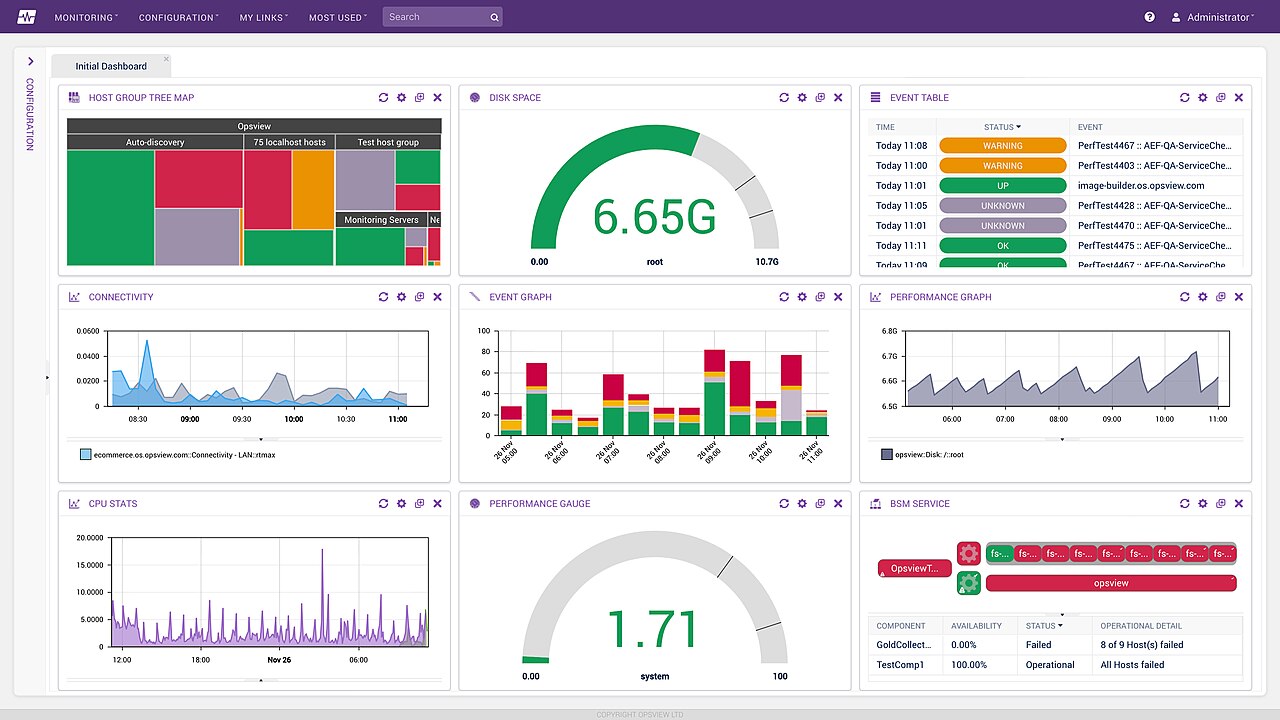
Almost every small and mid-sized business already has more data than it uses. Sales sit in an accounting package, leads in a spreadsheet or CRM, website traffic in an analytics tool, stock levels in an ERP and customer conversations in email and WhatsApp. The problem is not a lack of data; it is that the data lives in separate places, is shaped differently in each one and takes hours of manual work to combine every month.
The result is familiar: monthly reports that arrive late, numbers that do not match between departments, and decisions made on gut feel because the facts are too slow to assemble. This guide lays out a practical, affordable path for SMEs to move from scattered spreadsheets to decision dashboards that the whole team trusts. It reflects how the Creensight team approaches analytics projects using Python, cloud data services on AWS, GCP and Azure, and modern business intelligence tools.
Key takeaways
- Start from the business decisions you want to improve, then choose the metrics and data needed to support them.
- A single, agreed definition for each key metric matters more than any tool.
- Automating data collection into one central store removes most manual reporting work.
- Dashboards should be few, focused and owned by someone who acts on them.
- Data quality, access control and privacy compliance must be designed in from the beginning.
Why spreadsheets stop scaling
Spreadsheets are brilliant tools. They are flexible, familiar and fast for ad hoc analysis, and they will remain part of every business. The trouble starts when spreadsheets become the system of record for reporting.
- Manual effort: someone exports data from several systems, pastes it into a workbook and repairs formulas every month.
- Version confusion: files are emailed around, and nobody is sure which version is correct.
- Silent errors: a broken formula or a missing row changes the numbers without anyone noticing.
- Limited history: trends over several years are hard to analyse when each month lives in a separate file.
- Access risk: sensitive customer or financial data spreads across laptops and inboxes.
When reporting takes days rather than minutes, or when two managers bring different revenue numbers to the same meeting, it is time to build a more structured analytics setup.
Begin with decisions, not data
The most common mistake in analytics projects is starting with the question “what can we do with our data?” A far better starting point is “which decisions do we make regularly, and what would help us make them better?”
Examples of decision-led questions
- Which marketing channels bring customers who actually pay, not just leads?
- Which products or services have the best margin after delivery costs?
- Which customers are at risk of not renewing or reordering?
- Where do orders get delayed between enquiry, quotation and delivery?
- How much cash will we have at the end of next quarter?
Each question points to specific metrics and the data sources needed to calculate them. This keeps the project small and valuable, rather than an expensive attempt to collect everything.
Define your metrics once
Before building anything, agree on definitions. It sounds bureaucratic, but it prevents the arguments that undermine trust in dashboards.
| Metric | Questions to settle | Example definition |
|---|---|---|
| Revenue | Invoiced or collected? Including or excluding GST? Net of refunds? | Invoiced value excluding GST, net of credit notes, by invoice date |
| New customer | First order ever, or first order this year? | Customer whose first paid invoice falls in the period |
| Lead conversion rate | Which leads count? Over what time window? | Qualified leads that become paying customers within 90 days |
| Gross margin | Which costs are included? | Revenue minus direct material, delivery and third-party costs |
| Churn | Contract end, non-renewal or inactivity? | Active customers at period start with no paid invoice in the next 12 months |
A dashboard is only as trustworthy as the definitions behind it. Write them down, share them and put them next to the charts.
The modern SME analytics stack
Enterprise analytics used to require expensive licences and dedicated teams. Today, cloud services make a robust setup affordable for small businesses. A typical stack has four layers.
1. Data sources
Your operational systems: accounting software, CRM, e-commerce platform such as WooCommerce, ERP, payment gateway, website analytics, advertising accounts and any custom applications.
2. Data ingestion
Automated jobs that pull data from each source on a schedule, usually daily or hourly. This can be done with managed connector services or with Python scripts using each system’s API, scheduled in the cloud.
3. Central data store
A single place where all data lands and is combined. For many SMEs a managed PostgreSQL database is enough; larger volumes justify a cloud data warehouse such as Google BigQuery, Amazon Redshift or Azure Synapse. Transformations clean the data and calculate metrics according to your agreed definitions.
4. Visualisation and access
Business intelligence tools such as Looker Studio, Power BI, Metabase or Apache Superset turn the data into dashboards and reports, with access controls by role.
| Stage of maturity | Typical setup | Good for |
|---|---|---|
| Starter | Automated exports into a shared spreadsheet with a free BI tool | Very small teams, one or two sources |
| Growing | Scheduled Python jobs into PostgreSQL, Metabase or Looker Studio dashboards | SMEs with three to eight sources |
| Scaling | Managed connectors, cloud data warehouse, transformation layer, Power BI or Looker | Larger volumes, multiple teams, advanced analysis |
Whichever stack you choose, keep ownership of your data. Cloud accounts, databases and BI workspaces should be registered to your company, with documented access, so that you remain in control if vendors or team members change.
Designing dashboards people actually use
Many dashboards are built, admired once and then ignored. The ones that survive share a few characteristics.
- A clear audience: a sales dashboard for the sales head, an operations dashboard for the delivery team, a summary for the founders.
- Few metrics: five to eight key numbers per dashboard, each linked to a decision.
- Context: show comparisons with the previous period, targets or the same period last year, so numbers have meaning.
- Drill-down: let users click from a summary into detail when they need to investigate.
- Freshness indicator: show when data was last updated so users know they can trust it.
- An owner: someone who reviews the dashboard regularly and acts on what it shows.
Tip: build each dashboard around a recurring meeting. If the weekly sales review uses the dashboard on screen, it will stay accurate and relevant. If no meeting uses it, question whether it is needed.
Data quality and governance
Bad data leads to bad decisions, and once people find one wrong number they stop trusting the whole dashboard. A few simple habits prevent most problems.
- Validate at the source: make important fields mandatory and use drop-downs instead of free text in your CRM or ERP.
- Automate checks: flag missing values, duplicates and sudden unexplained changes in daily data loads.
- Keep master data clean: customers, products and regions should have one agreed record each.
- Control access: give people access to the data they need for their role, and no more.
- Respect privacy law: under India’s Digital Personal Data Protection Act, 2023 and similar laws elsewhere, collect only necessary personal data, protect it and use it for stated purposes. Aggregated and anonymised data is usually enough for dashboards.
Building a data-driven culture
Technology is the easier half of analytics. The harder half is changing how decisions are made. Even the best dashboard fails if meetings still run on anecdotes and opinions.
Practical steps for leaders
- Lead by example: when founders and managers open the dashboard at the start of every review, the rest of the team follows.
- Ask “what does the data say?” before debating opinions, and “what would change our mind?” before making big bets.
- Train people: short, practical sessions on reading charts, filtering dashboards and spotting data issues build confidence quickly.
- Reward curiosity: encourage team members to question numbers that look wrong; every reported issue makes the data more reliable.
- Keep it relevant: retire dashboards nobody uses and evolve metrics as the business changes.
It also helps to make data accessible on the devices people actually use. Sales teams on the road may prefer a mobile-friendly summary or a scheduled email with key numbers each morning, while finance teams may want detailed tables they can export. Meeting people where they work is often what turns an analytics project from a technical success into a business one.
From dashboards to prediction
Once your data is centralised and clean, more advanced analysis becomes practical. Forecasting sales, predicting which customers may churn, recommending products or detecting unusual transactions are all realistic projects for an SME with a few years of reliable data.
The key is sequencing: predictive models built on messy, scattered data produce unreliable results. Get descriptive reporting right first, then move to prediction. When you are ready, our AI and machine learning team can help identify the use cases with the clearest return.
A 12-week analytics roadmap
- Weeks 1 – 2: interview decision-makers, list key decisions and agree metric definitions.
- Weeks 3 – 5: connect the two or three most important data sources and set up the central data store.
- Weeks 6 – 8: build transformations for agreed metrics and add data quality checks.
- Weeks 9 – 10: design and build the first two or three dashboards with their owners.
- Weeks 11 – 12: train users, connect dashboards to recurring meetings, and plan the next sources and use cases.
This approach delivers useful dashboards within a quarter while laying foundations that scale. If parts of your workflow still run on paper or ad hoc tools, our custom software development services can digitise them so the data is captured cleanly from day one.
Frequently asked questions
Do we need a data warehouse?
Not at first. Many SMEs start with a managed PostgreSQL database, which is inexpensive and powerful. A cloud data warehouse becomes worthwhile when data volumes grow, many sources are involved or several teams run heavy analysis.
Which BI tool should we choose?
Choose based on your existing ecosystem and budget. Power BI suits businesses already using Microsoft 365, Looker Studio integrates naturally with Google services, and open-source tools such as Metabase or Superset avoid per-user licence costs.
How much does an analytics setup cost?
Costs depend on the number of sources, data volume and the complexity of transformations. A focused first phase with a few sources and dashboards is usually a modest project; running costs for cloud storage and BI tools can be low for SME data volumes.
Can we keep using spreadsheets?
Absolutely. Spreadsheets remain excellent for exploration and one-off analysis. The goal is to stop using them as the manual glue between systems and as the source of official numbers.
Make faster decisions with trusted data
If your team spends hours every month assembling reports, or debates which numbers are right, the Creensight team can help you design and build an analytics setup that fits your size and budget. Contact us to discuss your data and the decisions you want to improve.