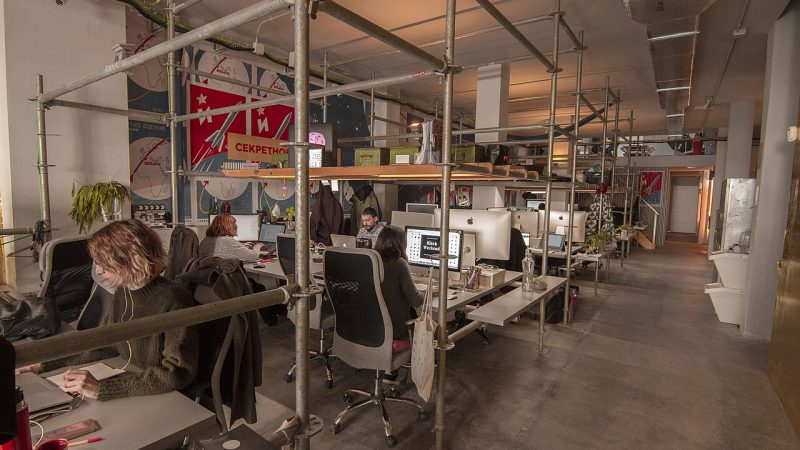
Launch day feels like the finish line, but for software it is closer to the starting gun. From the moment real users arrive, the application starts to age: browsers update, operating systems change, libraries publish security patches, cloud providers retire services, and users discover bugs and request improvements. Software that is not maintained does not stay the same — it gradually becomes slower, less secure and more expensive to change.
At Creensight, our commitment does not end with deployment. We provide ongoing support and maintenance so our clients’ systems remain up to date and fully operational. This guide explains what software maintenance actually involves, how to choose a support model, what it typically costs and how to write a maintenance plan that protects your investment instead of becoming a vague line item nobody reviews.
Key takeaways
- Maintenance covers four kinds of work: corrective (bugs), adaptive (environment changes), perfective (improvements) and preventive (reducing future risk).
- Budget for maintenance before launch; a common planning range is 15–25% of the initial build cost per year, depending on complexity.
- Define severity levels, response times and escalation paths in a written service level agreement (SLA).
- Monitoring, backups and dependency updates prevent most emergencies.
- Good documentation and handover make maintenance cheaper regardless of who does it.
What software maintenance really means
Software engineering practice commonly groups maintenance into four categories. Understanding them helps you see where the budget goes.
| Type | What it covers | Examples |
|---|---|---|
| Corrective | Fixing defects found in production | Checkout fails for certain cards; report totals are wrong |
| Adaptive | Keeping the software working as its environment changes | New iOS or Android version, payment gateway API change, PHP or Python upgrade |
| Perfective | Improving features, usability and performance | Faster search, new dashboard filters, better onboarding |
| Preventive | Reducing future risk and technical debt | Refactoring fragile modules, adding tests, upgrading frameworks |
Many businesses budget only for corrective work and are surprised when adaptive work — a forced framework upgrade, an expiring API — consumes the entire allocation. A realistic plan reserves capacity for all four.
Why maintenance cannot be skipped
Security
Most modern applications depend on hundreds of open-source packages. Vulnerabilities are disclosed in popular libraries regularly, and attackers scan the internet for unpatched systems. Applying security updates promptly is one of the most effective protections available, and it is impossible without someone responsible for doing it.
Compatibility
Mobile operating systems release major versions every year, and app stores periodically raise their minimum requirements. Browsers update every few weeks. Cloud providers deprecate runtime versions on published schedules. An app that is not updated eventually stops working or is removed from the store.
Business continuity
Expired SSL certificates, full disks, failed backups and runaway cloud bills are mundane problems that cause real outages. Routine maintenance catches them before customers do.
The cheapest incident is the one prevented by a monitoring alert at 3 p.m. on a Tuesday rather than discovered by a customer at 3 a.m. on a Sunday.
Support models: which one fits you?
There is no single right way to organise support. The best model depends on how critical the system is, how often it changes and whether you have in-house engineers.
| Model | How it works | Best for | Watch out for |
|---|---|---|---|
| Pay-as-you-go | Hourly billing for requests as they arise | Stable, low-risk systems with few changes | No proactive work; slower response; unpredictable cost |
| Monthly retainer | Fixed hours or scope per month, with SLA | Business-critical websites and apps | Unused hours policy; clear scope boundaries |
| Dedicated developer or team | Full-time engineers allocated to your product | Products with an active roadmap | Requires product ownership on your side |
| Hybrid | In-house team plus vendor for on-call, upgrades or specialist skills | Companies with small internal teams | Clear responsibilities and shared documentation |
If your product is still growing quickly, maintenance and new development usually merge into one stream handled by a dedicated team. Our FAQ on hiring developers explains how that model works in practice.
Writing a service level agreement
An SLA turns “we will support you” into specific commitments. At minimum it should define severity levels, response and resolution targets, support hours and how issues are reported.
| Severity | Definition | Example | Typical response target |
|---|---|---|---|
| Critical (P1) | System down or major function unusable for most users | Website offline; payments failing | Within 1–2 hours |
| High (P2) | Important feature broken with no workaround | Order emails not sent | Within 4–8 business hours |
| Medium (P3) | Issue with a workaround or limited impact | Export fails for one report | Within 1–2 business days |
| Low (P4) | Cosmetic issues and minor requests | Text alignment, label changes | Planned in the next release |
The targets above are typical starting points, not universal rules; critical systems may justify 24/7 coverage while internal tools may need only business-hours support. Also agree on:
- Support channels (ticketing system, email, chat) and who can raise tickets.
- Escalation contacts on both sides.
- Planned maintenance windows and how users are notified.
- Monthly reporting: tickets resolved, uptime, updates applied and upcoming risks.
- What is out of scope — for example new features or third-party outages.
The maintenance toolkit
Good maintenance is mostly about visibility and routine. The essential tools are inexpensive compared with the cost of an outage.
Monitoring and alerting
- Uptime checks on key pages and APIs from several regions.
- Application performance monitoring for slow requests and error rates.
- Error tracking that groups exceptions and links them to releases.
- Infrastructure metrics — CPU, memory, disk, database connections — with alert thresholds.
- Cost alerts on your AWS, GCP, Azure or DigitalOcean account.
Backups and recovery
- Automated daily backups of databases and uploaded files, stored in a separate location.
- Defined recovery point and recovery time objectives (how much data you can lose and how quickly you must be back).
- Restore tests at least quarterly — a backup that has never been restored is a hope, not a plan.
Updates and dependency management
- Automated dependency alerts and pull requests for security patches.
- A staging environment where updates are tested before production.
- A CI/CD pipeline with automated tests so small updates are safe and routine.
Tip for WordPress sites: update plugins on staging first, keep the number of plugins small, run a security plugin and web application firewall, and keep daily off-site backups.
How much does maintenance cost?
Costs depend on the size and age of the system, the number of integrations, the required response times and how much improvement work is included. A widely used planning heuristic is to budget around 15–25% of the original development cost per year for maintenance, with higher figures for complex or business-critical systems.
Indicative monthly ranges for an experienced Indian team are shown below. They exclude hosting, licences and major new features.
| System | Typical scope | Indicative monthly cost (INR) |
|---|---|---|
| Business website (WordPress) | Updates, backups, security monitoring, small edits | ₹8,000–₹25,000 |
| E-commerce store | Above plus payment, shipping and plugin compatibility | ₹20,000–₹60,000 |
| Custom web or mobile application | Bug fixes, OS/framework updates, monitoring, small improvements | ₹50,000–₹2,00,000 |
| Business-critical platform | Extended support hours, on-call, dedicated engineers | Based on team size |
You can see fixed-scope support and care packages in our shop, or ask for a plan tailored to your system.
Handover and documentation
Whoever maintains your software — your own team, Creensight or another partner — good documentation reduces cost and risk. Before or shortly after launch, make sure you have:
- An architecture overview: components, data flows and third-party services.
- Access inventory: domains, DNS, hosting, repositories, app store accounts, payment gateways — owned by your company, not by an individual developer.
- Deployment instructions and environment configuration (with secrets stored securely).
- A runbook for common incidents: restarting services, restoring backups, rotating keys.
- A changelog that records what changed in each release and why.
Ownership matters: always keep the source code repository, cloud accounts and domains registered to your organisation. If a developer or vendor relationship ends, you should be able to hand these accounts and documents to a new team within a day, without negotiation or guesswork about passwords, billing owners or where the latest code lives.
Signs your current maintenance is not working
- Updates are postponed because “something might break”.
- You learn about outages from customers.
- Nobody can say when backups were last tested.
- Framework or runtime versions are several major releases behind.
- Every small change takes weeks and causes new bugs.
- Knowledge of the system lives in one person’s head.
If several of these sound familiar, start with a technical health check: an audit of code quality, dependencies, infrastructure, security and documentation, followed by a prioritised improvement plan.
A health check typically takes one to three weeks depending on system size. The outcome is not a long report that sits in a drawer, but a short list of issues ranked by risk and effort, so you can fix the most dangerous problems first and schedule the rest into normal maintenance cycles.
The first 90 days after launch
The weeks immediately after launch are when maintenance needs are highest and least predictable. Real users take paths nobody tested, traffic patterns differ from estimates and small usability problems surface quickly. Planning this period deliberately avoids a scramble.
- Weeks 1–2 — hypercare: keep the build team available, review error logs and monitoring daily, and fix critical issues the same day. Hold a short daily check-in between your team and the developers.
- Weeks 3–6 — stabilise: work through the backlog of medium and low-priority issues, tune performance using real traffic data and confirm backups and alerts are working as intended.
- Weeks 7–12 — transition: move from launch mode to the agreed support model, finalise documentation and runbooks, and review analytics to plan the first round of improvements.
At the end of the 90 days, hold a review covering incidents, user feedback, performance, cloud costs and remaining technical debt. That review becomes the baseline for your maintenance budget and roadmap for the rest of the year, and it gives everyone a shared, factual picture of how the system is really behaving in production.
Frequently asked questions
Can Creensight maintain software built by another company?
Yes. We begin with a code and infrastructure review to understand the system, document what we find and then agree on a support plan.
Is maintenance included after a new project?
Our projects include a post-launch support period for fixing defects. Ongoing maintenance is offered as a separate retainer or dedicated-team arrangement so its scope and response times are clear.
How often should we update our software?
Apply critical security patches as soon as they are tested — often within days. Routine dependency updates work well on a monthly cycle, with major framework upgrades planned once or twice a year.
What is the difference between support and maintenance?
Support usually means responding to issues and user requests; maintenance includes the proactive work — updates, monitoring, refactoring — that keeps issues from happening.
Keep your software healthy with Creensight
From WordPress sites to custom cloud platforms, Creensight provides maintenance and support that keep systems secure, up to date and fully operational. Explore our custom software development and cloud solutions and DevOps services, or contact us to request a technical health check.